
In AION 2, check old gear for upgrade inheritance, Sync material value, Closet skins, Supply Requests, and tradability before extracting it. A lower gear score does not automatically make an item disposable.
Inventory cleanup works best when you sort by purpose first and consume items afterward. This order protects equipment that still contains useful investment or can serve another progression system. The aim is a repeatable decision process that clears space without destroying the reason you kept the item.
Start with the equipment you still use
Separate your currently equipped gear from the items you are considering removing. Then check any alternate setup you actually use. An item can be weaker for your current activity while still serving a different configuration, so the comparison arrow beside it is not a complete disposal instruction.
Read the item details. Identify its equipment type, rarity, enhancement investment, binding effects, and trade status. These properties answer different questions. Gear score compares one aspect of progression; it does not tell you whether a useful effect can be inherited, whether another system accepts the item, or whether another player wants to buy it.
Begin with a small group of obvious replacements rather than selecting your entire Cube. Once you understand the decision path, apply it to more items. Bulk cleanup is efficient only after you have excluded equipment with another purpose.
Preserve investment before choosing extraction
Inheritance consumes an old eligible item to transfer supported progression to another matching equipment type. Enhancement levels and Soul Binding effects are part of the reason to inspect this option when replacing equipment you invested in.
The practical question is not whether the old item's raw score is lower. It is whether the new item can receive something useful from it and whether the transfer cost makes sense for that replacement. Open the relevant interface and compare the actual preview before committing.
Avoid treating a universal enhancement threshold as a rule. The value of transferring depends on what you already spent, what the destination accepts, and how long you expect to use that replacement. A recommendation made for an expensive late progression item does not automatically apply to a small quest upgrade.
If a transfer is worth keeping, remove the old item from your cleanup group. Do not rely on remembering its icon after several similar items enter the inventory. Keep the destination and material together in your planning until the operation is complete.
Recognize useful Unique gear as Sync material
Unique gear with a lower score can still serve the Soul Binding process through Syncing. This is a separate reason to retain an item even if you do not want to equip it again.
Syncing replaces a Binding Effect using the eligible pool of stats or skills. That means a material item can have value because the system accepts it, not because its own displayed score exceeds your current equipment. Inspect the relevant effect and the preview rather than judging the item solely from the inventory comparison.
A replacement effect is not guaranteed to be the exact result you want. Repeated attempts may be required, so do not interpret one material as a promise of a finished setup. Decide whether you are actively pursuing that binding improvement before retaining every Unique drop indefinitely.
This creates two useful groups: materials for a current binding goal, and items with no identified goal. The first group deserves protection. The second can continue through the cleanup process instead of occupying Cube space forever under the vague label of possibly useful.
Check the Closet before consuming a skin source
Item Extraction breaks down unwanted equipment and can unlock its appearance in the Closet. Closet collection progress can contribute stats, which gives a piece of old gear a collection purpose beyond its combat usefulness.
Inspect whether the appearance is already registered before deciding to sell or turn in the item. A first collection unlock and a duplicate appearance create different decisions. If the skin is missing, extraction may serve permanent collection progress even when the equipment itself has little use.
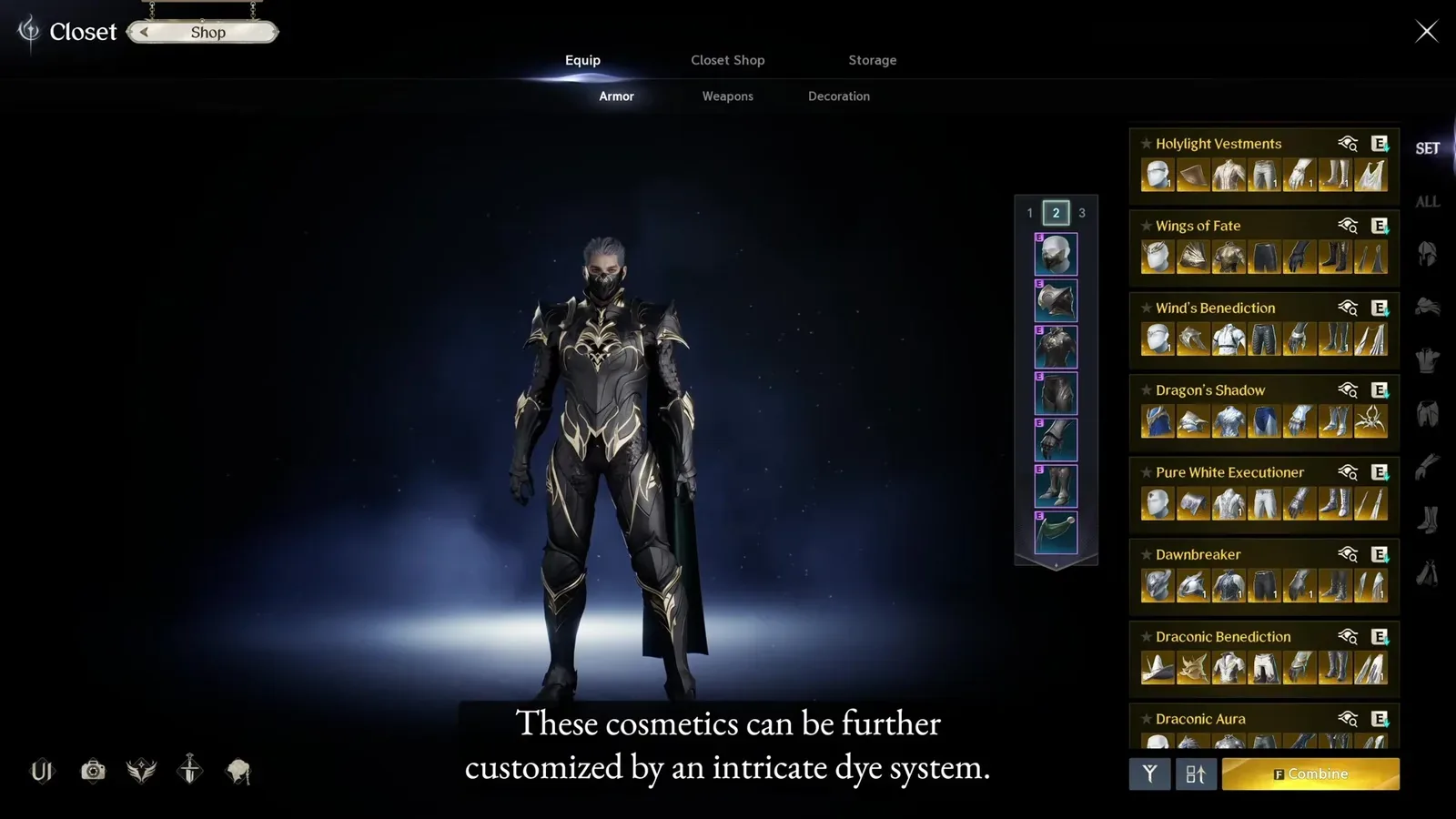
Inspect the registered appearance before choosing an operation that consumes the old equipment.
Do not assume that extracting an item leaves that same item available for a second operation. Extraction consumes the selected equipment. You cannot extract a single copy for its appearance and then sell that consumed copy or submit it to a request. If you want two outcomes that both consume gear, you need to choose between them or use separate eligible copies.
That distinction prevents a misleading cleanup plan: collect the appearance first and sell everything afterward. The plan only works when another copy remains. For each actual item, identify the outcome you want before clicking the consuming action.
Compare a current Supply Request with other uses
Some equipment can satisfy a Supply Request. A scroll indicator in the item interface can signal that a request is relevant, but inspect the actual request and its conditions before consuming the item elsewhere.
Supply Requests exchange specified items for listed rewards, including progression resources. The useful comparison is the current reward against the item's other purposes. An item intended for inheritance is different from a spare crafted piece with no upgrade or collection value remaining.
For crafted equipment, requests can give an additional destination to items produced during crafting progression. This does not mean every crafted item should automatically be submitted. Check eligibility and whether its skin, trade value, or another use matters more to your current goal.
When a request is not active or does not accept that exact item, do not keep guessing from a similar name. Continue to the next appropriate option. The visible request preview is the boundary between a useful turn-in and an item that merely resembles a requested material.
Price tradable gear before destroying it
If the item is tradable, check the Market before extracting it. Other players may want gear for progression, crafting, or equipment optimization even when you have already replaced it.
Compare the exact item characteristics rather than searching only by a broad weapon category. Rarity, type, and meaningful effects can influence whether a listing is comparable. A high asking price on one unusual listing is not evidence that your item will sell for the same amount.
Consider the actual Market information available and any transaction conditions shown in the game. This guide does not assign a fixed price or profit because demand changes and similar-looking equipment can have different value.
If the item is untradable or has no useful sale case, return to its collection and material options. Selling is one branch of the decision, not a requirement that every piece must satisfy before you can clear space.
Use this order when the Cube fills up
The order below prioritizes properties that are easiest to regret losing. It is a practical cleanup recommendation rather than a claim that one operation is always mathematically superior.
| Check | Keep or inspect when | Continue when |
|---|---|---|
| Current equipment use | The item belongs to a setup you actively use | You have genuinely replaced its role |
| Inheritance | It contains investment the new item can receive | The transfer is ineligible or not useful for your goal |
| Sync material | It serves a specific binding improvement | You have no current use for the material |
| Closet appearance | The skin is missing and you want the collection unlock | The appearance is already registered or another use wins |
| Supply Request | The exact item satisfies a worthwhile current request | The request does not accept it or rewards are less useful |
| Market | The item is tradable and has a reasonable sale case | It cannot be traded or does not merit listing |
| Extraction | No higher priority use remains | Review the result preview and consume only the intended items |
You can move the Market comparison earlier when an item appears valuable, but do not let an inventory comparison arrow substitute for all these checks. The purpose is to establish why each retained item exists.
Review bulk selections one last time
Bulk selection saves input, but it is not a substitute for reviewing the selected items. Before confirming extraction, scan for Unique equipment, invested replacements, alternate setup pieces, and appearances you intended to handle differently.
Read the output preview and any displayed cost. Do not assume that the operation is free or that every selected item produces the same result. If the interface includes an item you cannot explain, remove it and inspect it separately.
A safer routine is to consume one representative item first when using an unfamiliar system. Confirm what disappears and what is received. Once the result matches your understanding, repeat with the items you already classified.
Avoid accelerating cleanup while tired or in the middle of another activity. Several similar icons can hide meaningful differences. Clearing a few slots carefully is more useful than making space by destroying a material you planned to use next.
Diagnose an item that will not appear
If an extraction or deletion interface does not list an item, begin with its actual eligibility and your selection settings. A missing item in quick selection does not prove that the item cannot be used manually or that the whole system is broken.
Player reports describe quick selection excluding gear at a comparable item level to current equipment. That is a report about a particular selection behavior, not a universal rule for every item. Inspect manual registration and the item details instead of forcing an unrelated disposal action.
A reported launch-period case was resolved by fully relogging. Treat relogging as a reasonable interface troubleshooting step after confirming the item and current activity, not as a guaranteed solution. The same symptom can have a different cause.
If the problem persists, retain the item and record its name, rarity, trade state, and the exact message. An item-detail screenshot plus the relevant interface helps distinguish eligibility from a display problem. Do not publish account credentials or unrelated private messages with that screenshot.
Keep a small inventory routine that you can repeat
At the end of a session, identify new upgrades, replace gear deliberately, and move the old pieces through the decision checks. This prevents a backlog of unfamiliar items whose original purpose you no longer remember.
Retained materials should correspond to a real next action. If you are saving an item for inheritance, know the intended destination. If it is for Syncing, know the binding goal. If it is for collection, decide whether you want to extract it now or keep it pending another comparison.
For duplicate items, decide by remaining purpose rather than by rarity alone. Once the appearance is registered and no transfer, binding, request, or sale use remains, extraction becomes a straightforward space-clearing choice.
The final confirmation is simple: you know what the item will be consumed for, the preview matches that intention, and no protected equipment remains in the selection. That habit makes old gear a set of useful resources instead of a growing inventory problem.
Sources and verification
Reviewed for Global on October 10, 2026. The independent guides explain extraction and other disposal choices. The Steam discussion is a player-reported troubleshooting case, not a guarantee of current client behavior.
- What to Do With Old Gear? | AION 2
- Aion 2 Item Extraction: What to do with old gear
- Cannot Delete or Deconstruct Gear at All :: AION 2 Essential Info & Resources