
Rift schedule in your timezone
Plan the next entry window. The clock below calculates a community schedule; it does not contact the game server or confirm that a portal is currently available.
The local countdown starts when this page loads.
Community schedule reference; not verified against live Global/Korea/Taiwan portals. NA and EU share one global schedule on a GMT+9 server clock: 00:00, 03:00 … 21:00 UTC. Portals accept entries for 10 minutes; you then have 1 hour in enemy territory.
Using the linked community schedule. Check the in-game clock after maintenance or a patch. The entry window and time allowed inside enemy territory are different.
My in-game opening differs
Enter one opening you personally observed in UTC. This shifts the recurring schedule by that anchor; it does not verify a changed interval or entry duration.
Schedule dated 2026-10-07; reviewed 2026-10-15. Adapted from aion2-data / Aion2 Atlas under CC BY 4.0. Snapshot 979f6dfe086a. Region labels and display have been adapted; the interval rules are unchanged.
Reviewed 15 October 2026. The calculator below uses an attributed community schedule dated 7 October. Its Global, Korean and Taiwanese anchors are separate. It calculates the schedule in your timezone; it does not query the game server or locate a currently open portal.
Use the timer for your version
- Select Global (NA / EU), Korea or Taiwan for the version you actually play. The Global data source names NA and EU; it does not independently establish a different schedule for Global Asia or LATAM.
- Read your device timezone beside the control. The displayed local time is already converted; do not add another offset.
- Compare the next occurrence with the event clock in your game. The linked community source is not an NC service-status feed.
- If your observed UTC opening differs, use My in-game opening differs to enter that observation. The calculator shifts its anchor, retaining the source's three-hour interval and ten-minute entry window.
- Download eight upcoming windows as an
.icsfile if you want calendar entries. Recheck those entries after a patch or maintenance.
Different third-party timers can use different Global anchors. The snapshot used here reports one shared NA/EU schedule, while older provider screens offered regional selectors. We have not resolved that difference with a live in-game measurement. Use the observed-anchor control and the actual portal panel before relying on a reminder.
Understand what the countdown measures
| Display | Meaning | What it does not prove |
|---|---|---|
| Next scheduled opening | The next recurrence of the chosen source anchor | A portal is live, its location, or your entry eligibility |
| Scheduled entry window closes in | The source's ten-minute entry period is currently running | Your remaining visit time after crossing |
| Your time | Date and time in the browser's IANA timezone | Your game region or server clock |
| Server clock | The source's stated server timezone | The physical server location |
| UTC | An unambiguous reference for comparing clocks | A universally verified Global timetable |
Global's source anchor is 7 October at 00:00 UTC, repeating every 180 minutes. Korea's anchor is 6 October at 17:00 UTC; Taiwan's is 18:00 UTC. The server-clock labels come from the source. The schedule remains a dated community reference even when the countdown updates every second.
Find the portal and check entry conditions
At the opening, read the game's current system message and vortex marker. The marker's information panel provides the entry rules, remaining uses and time actually allowed. A schedule calculator cannot identify which portal is active on your character's server.
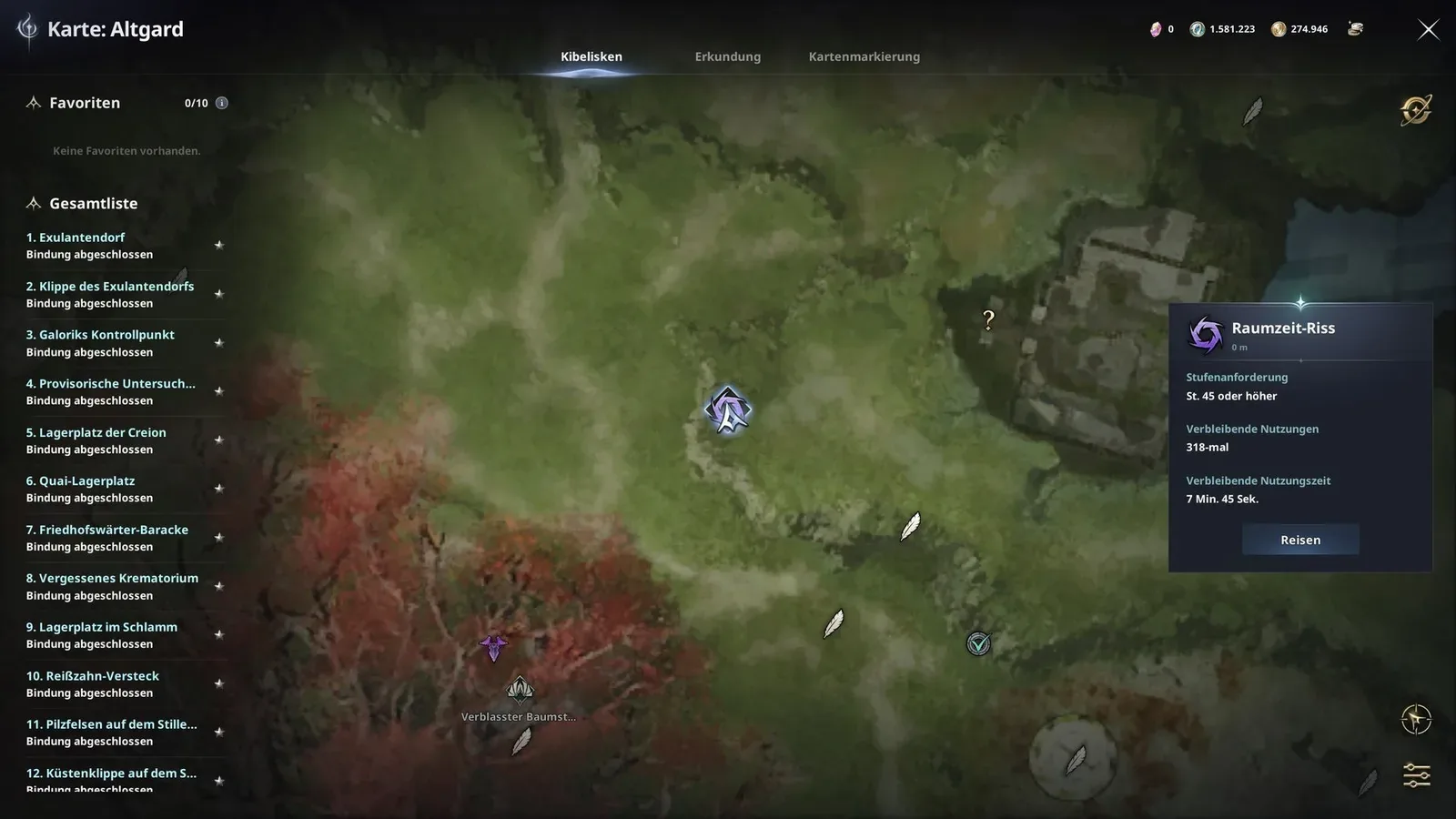
An illustrative portal panel. This image is not a current server-state capture.
The entry window and time allowed inside enemy territory are different limits. Read Until the end of Spacetime Rift and Basic Usage Time in your live panel. A failed level requirement, closed window or exhausted allowance can prevent entry even when the schedule arithmetic is correct.
Import calendar entries without carrying a stale schedule
The download contains the next eight openings in UTC. Calendar applications convert those timestamps to their own display timezone. Each event spans the source's ten-minute entry window; it is not a promise that you can remain inside for only ten minutes.
A downloaded file is a snapshot, not a subscribed calendar. If the game changes its schedule, delete or update the obsolete entries and download a fresh set. The observed-anchor control corrects an offset only; it cannot validate a new recurrence interval or portal duration.
If the timer and game disagree
Check the version selector, device timezone and current maintenance notice. Compare one real opening in UTC. Use that observation as your custom anchor only if the game's recurrence still matches the source interval. Restore the source schedule to discard your custom observation.
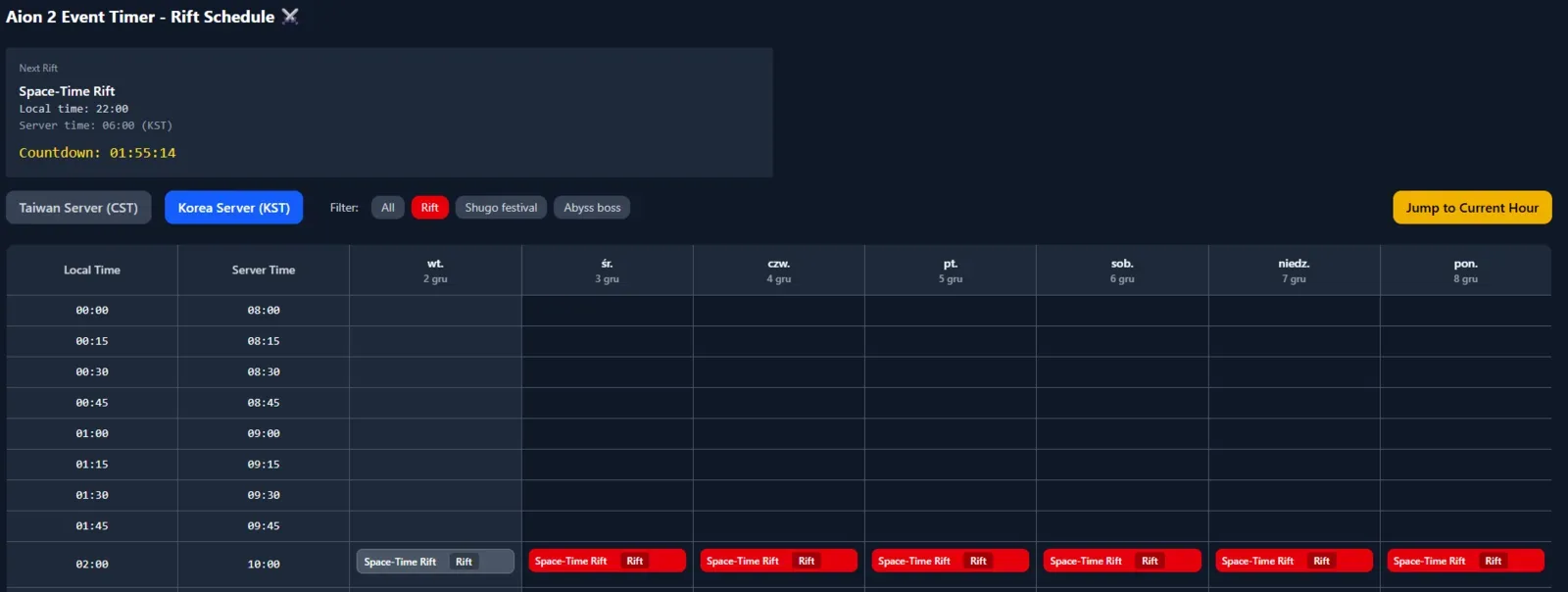
An older external-provider interface retained as a reading example. Its countdown and regional labels are not the source used by this calculator.
Sources and next steps
- aion2-data / Aion2 Atlas, pinned schedule snapshot — Community interval rules dated 7 October; adapted under CC BY 4.0, with attribution and unchanged interval values.
- Official Global notice board — Service and maintenance announcements take precedence.
- Spacetime Rift quests and entry checks — Plan objectives after crossing.
- Server status — Check service availability before blaming a timer.
- Hidden Cube route checks — Keep an exploration route short enough for your actual visit time.