
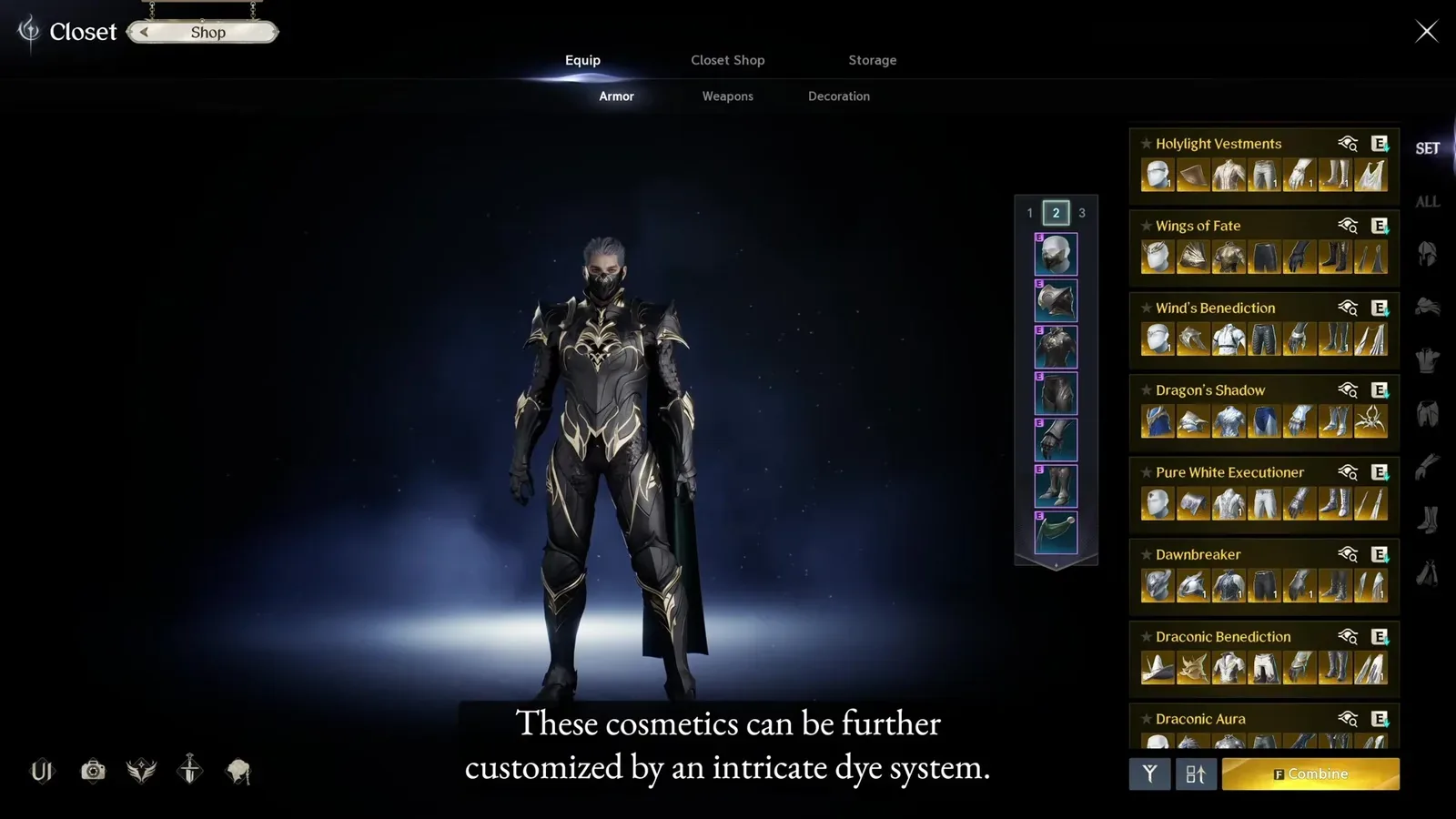
As of October 9, 2026, AION 2 Global includes wardrobe and transmog systems for changing a character’s visible equipment without replacing the combat gear underneath. The Closet is the center of that appearance system: collected skins are organized there, while armor, weapon, and accessory appearances remain tied to compatible equipment slots.
The most important limitation is availability. A skin appearing in a database, an older Korean or Taiwan showcase, or a launch-era video does not prove that it is currently obtainable on Global. Check the item’s region, source, and current in-game availability before spending currency or destroying anything for its appearance.
There is also no dependable single list of every skin currently purchasable or earnable on Global. Large catalogs may include client data, inactive items, regional cosmetics, pets, wings, or headwear omitted by another catalog. Use them to discover designs, then confirm each target in the current Global client.
Understand what counts as a skin
AION 2 uses several related appearance systems, but they are not interchangeable. Separating them prevents mistakes when you search for an outfit or compare rewards.
| Appearance type | What it changes | Key check |
|---|---|---|
| Armor skin | The visible look of an armor slot | Match the skin to the correct slot, such as helm, top, legs, pauldrons, gloves, shoes, or cloak |
| Weapon skin | The appearance of a compatible weapon | Confirm the weapon category before acquiring or registering it |
| Accessory skin | The visible appearance associated with an accessory slot | Check the exact slot rather than assuming one accessory skin fits every accessory |
| Wings | The character’s wing appearance | Treat wings as a separate cosmetic category, not an armor skin |
| Pet or mount | A companion or rideable form | Do not confuse a pet that transforms for riding with a character skin |
| Character customization | Face, body, hair, makeup, voice, and similar features | These settings belong to character creation or appearance-change systems, not the equipment Closet |
Armor skins are slot-specific. A helm appearance belongs on the helm slot; it does not become a general outfit token that can replace a top or cloak. Multi-piece designs may have separate entries for each visible part, so owning one piece does not establish that you own the complete set.
Weapon categories are also separate. Current skin catalogs distinguish greatswords, longswords, daggers, bows, staffs, spellbooks, orbs, and maces. Confirm the category used by your character before treating a weapon appearance as a practical target.
Use the Closet and transmog safely
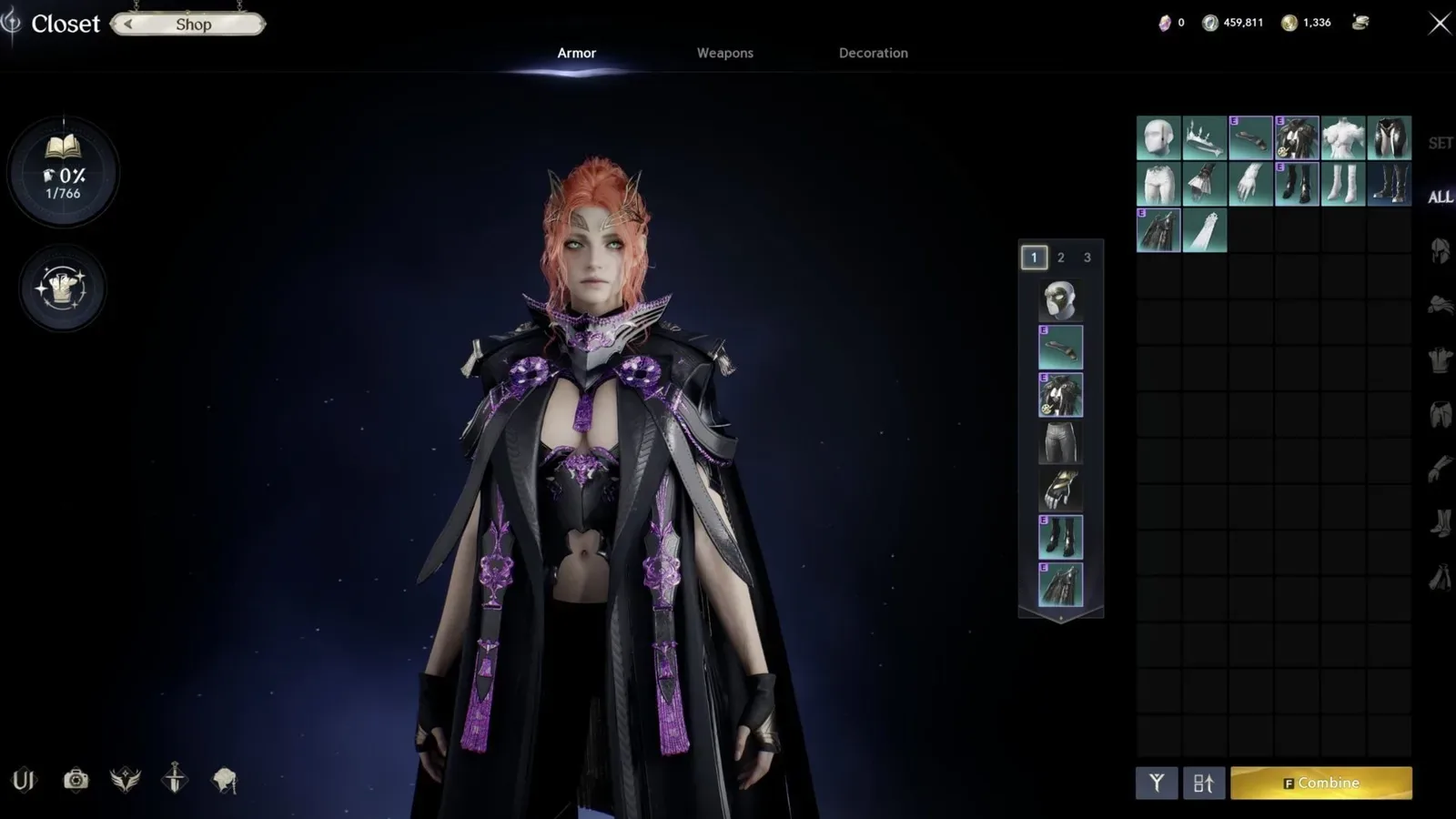
The Closet stores collected appearances and supports the transmog side of character customization. The exact menu labels and button positions can change, so follow the information shown in the current Global interface rather than a Korean, Taiwan, beta, or prelaunch screen.
A safe workflow is:
- Open the appearance or Closet interface and identify the destination slot.
- Filter by armor, weapon, or accessory type before choosing a look.
- Select the appearance and inspect the character preview from more than one angle.
- Confirm that the preview changes only the intended slot.
- Review every cost, consumable, and confirmation message shown by the client.
- Apply the appearance only after verifying that your functional equipment remains equipped.
- Return to normal gameplay and check the result while standing, moving, fighting, flying, and riding.
The last check matters because a weapon or armor detail may be less visible in some animations. A design that looks prominent in a static preview may be obscured by a stance, wings, a mount, or another outfit component. Judge a paid appearance by the situations in which you will actually see it.
Visibility controls can also change the final composition. If the Global interface offers a show-or-hide option for a slot, test it before buying another piece to solve a visual conflict. Hiding a helm, cloak, or other part can be enough to make an existing outfit work, but only the options displayed in your current client should be treated as available.
Find skins from supported sources
Global officially launched with wardrobe, transmog, cash-shop cosmetics, and cosmetic rewards associated with Founder’s Packs. Other appearances may be presented through gameplay rewards, passes, events, or later shop offerings. None of those source types guarantees that a specific cataloged skin is obtainable today.
| Source type | What to verify before committing | Main risk |
|---|---|---|
| Equipment or gameplay reward | The item tooltip offers a supported appearance action and the look matches your slot | Assuming every dropped item can be registered in the same way |
| Closet or Skin Combine result | The current interface accepts the selected inputs and displays the cost and possible result grade | Copying old regional costs, odds, or restrictions |
| Event reward | The event is active on Global and the claim period has not ended | Treating a historical reward as permanently available |
| Pass reward | The relevant pass and reward track are active for your region | Reading an old season’s track as the current one |
| Cash shop | The item is visible in the Global shop, fits the intended slot, and includes the pieces you expect | Mistaking a previewed set for a bundle containing every visible component |
| Founder’s Pack | The reward belongs to the purchased tier and is still claimable on the correct account | Using historical Early Access information as a current purchase guide |
| Regional catalog | The exact item is also present and obtainable in Global | Confusing Korean or Taiwan client data with Global availability |
For a gameplay item, inspect the tooltip before acting. Look for the item’s name, slot, grade, restrictions, and the appearance action actually offered by the client. Do not infer registration, extraction, tradeability, or account-wide access from the model alone.
For a shop item, inspect the contents rather than the promotional composition. A character image can display a skin alongside wings, weapons, hair styling, or accessories that are separate products. The item list and confirmation screen are more reliable than the complete look shown in the preview.
Build a collection without wasting currency
Start with appearances you already possess. This establishes how your Closet works and gives you a reference point before you spend Kinah, Abyss Points, or real money.
Use this order:
- Review compatible appearances already unlocked in the Closet.
- Check whether ordinary gear in your inventory exposes a current Global appearance action.
- Preview the result and record which slot it fills.
- Compare the new look with the pieces you already use.
- Keep complete sets and individual mix-and-match pieces separate in your plan.
- Consider Skin Combine only after understanding which duplicates or unwanted skins you can afford to lose.
- Check the live Global shop or active reward screen last, when free and already-owned options are exhausted.
This approach avoids buying a full-looking set when only one missing slot is responsible for the mismatch. It also prevents you from consuming a useful appearance merely because it is currently unequipped.
Check every item before consuming it
Some prelaunch guides describe buying inexpensive Abyss equipment, extracting its appearance, and feeding the resulting skins into the Closet or Combine system. That route should not be treated as a confirmed Global recipe. The exact eligible items, return of Abyss Points, Kinah costs, input count, upgrade odds, and resulting grades are not established for the current Global version here.
Before testing any similar route, use one low-value item and read the complete confirmation dialog. Stop if the client does not explicitly show the expected appearance item, registration result, currency cost, or consumption behavior. Do not scale the method to a bulk purchase based on an older regional demonstration.
Treat Skin Combine as a resource decision
Skin Combine is listed as an acquisition system in skin references. Confirm its Global input requirements, probabilities, and costs on the live Combine screen before committing resources. Catalog entries and prelaunch demonstrations do not establish which registered appearances or grades the current system accepts. Other versions may use different restrictions.
Before confirming a combine:
- Make sure every input is genuinely expendable.
- Check that the inputs meet the grade and slot rules displayed by the client.
- Read the shown Kinah cost rather than using a saved number from a guide.
- Review whether the interface states a same-grade result, a higher-grade chance, or another outcome.
- Remove any skin you still need for a complete outfit or alternate preset.
- Run one combine before committing the rest of your collection.
- Reopen the Closet afterward and verify where the result was registered.
A higher grade does not automatically mean a better design for your character. Grade, rarity, visual theme, and slot compatibility solve different problems. Combining a coherent set into a rarer but incompatible or unwanted piece can reduce the practical value of your collection.
Do not assume a skin changes combat power. Current catalogs disagree on whether every appearance is purely cosmetic or whether a small subset carries a stat. For a specific item, use the current Global tooltip as the deciding evidence and keep the appearance decision separate from your equipment build.
Evaluate paid skins before purchase
The cash shop is one confirmed cosmetic source, but current stock must be checked in the Global client. A beta appearance, Korean or Taiwan shop rotation, or old social-media showcase does not establish that the same product is for sale now.
Use a purchase check that focuses on what you receive:
- Confirm the item name and Global region.
- Expand the bundle contents and count the individual pieces.
- Match each piece to an armor, weapon, accessory, or wing slot.
- Check whether the displayed weapon is included or merely part of the preview.
- Compare the look with your usual helm, cloak, wings, and weapon visibility.
- Read any character, account, claim, or expiration restrictions shown at checkout.
- Judge the price only after separating reusable pieces from parts you will hide.
Founder’s Pack cosmetics belong to a historical launch and Early Access offer. They can still matter to players who already own a pack, but exact tier contents and claim handling belong in the dedicated Founder’s Pack guide. Do not use an old pack comparison as a list of currently purchasable skins.
Compare complete looks instead of icons
Icons help identify an item, but they rarely show silhouette, material, clipping, animation, or how several pieces interact. Build the look on a full character whenever a model preview is available.
Check four views:
- Front and back: inspect the chest, legs, cloak, and the outline of the full set.
- Combat stance: verify that the weapon and shoulder pieces remain readable during attacks.
- Flight: see how the armor and cloak interact with wings.
- Movement or riding: decide whether the feature you are paying for remains visible often enough to matter.
Mix-and-match outfits need an additional color and shape check. Pieces carrying the same set name are the safest starting point, but a complete named set is not mandatory. A strong custom outfit can use a top and legs as its visual base, then add a restrained helm, gloves, shoes, or cloak. Preview each change so that one ornate slot does not obscure the rest.
Avoid the common skin catalog traps
A large number beside a cosmetic database is not a count of items you can earn today. Different catalogs may include different clients, duplicate faction versions, unavailable data, wings, pets, decorations, or headwear. They may also use different names for the same visible slot.
Use these rules when researching a target appearance:
- Client presence is not availability. An icon or internal item entry does not identify a current source.
- Regional presence is not Global support. Korean and Taiwan services have different histories and later content.
- A complete preview is not a complete bundle. Read the included-item list.
- A skin name is not a set guarantee. Confirm every slot separately.
- A grade is not a source. Knowing that a skin is Rare, Epic, Unique, Special, or another grade does not explain how to obtain it.
- A historical event is not active by default. Confirm dates and claim conditions in the current client.
- A community outfit is not an acquisition guide. It can show a useful combination without proving where its pieces currently come from.
- A regional dressing room is not an official Global inventory. Use it for visual planning, then verify availability in-game.
When a desired item has no confirmed Global source, keep it on a watchlist instead of assigning it a price or farming route. Record the exact item name, slot, and visual theme. Recheck active events, passes, the shop, and current Global reward screens after updates. That preserves the target without turning an unverified catalog entry into a costly plan.
Next Guides
Distinguish character editing, purchased skin entitlements, and campaign reward claims.